DaVinci Resolve Tips & Notes
DaVinci Shortcuts
| Shortcut | Action |
|---|---|
K | forward |
J | rewind |
CMD + \ | Cut Clip |
Double click M | Add Marker |
Shift + M | Edit Marker |
| Shift + UP Arrow | Jump from Marker to Marker |
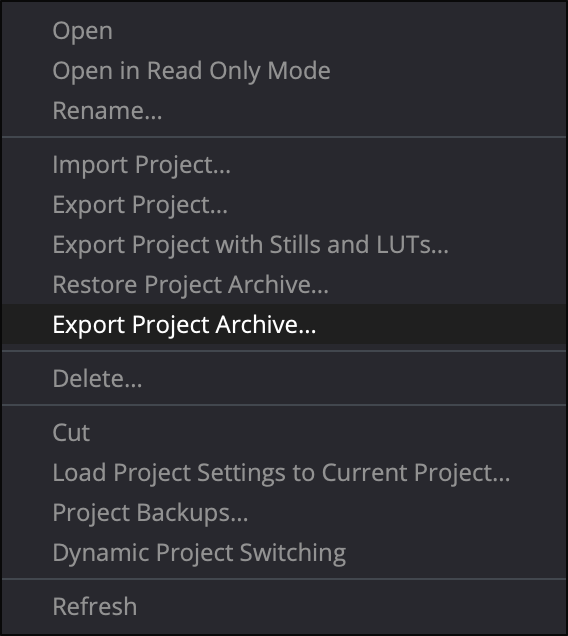
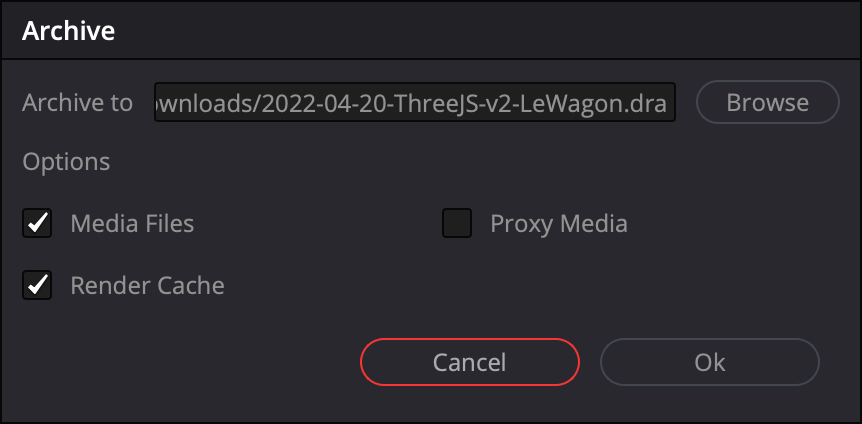
Export DaVinci Resolve Projects
Project > Export Project Archive > Included Media --> Full Backup of the project
| Step 1 | Step 2 |
|---|---|
 |  |
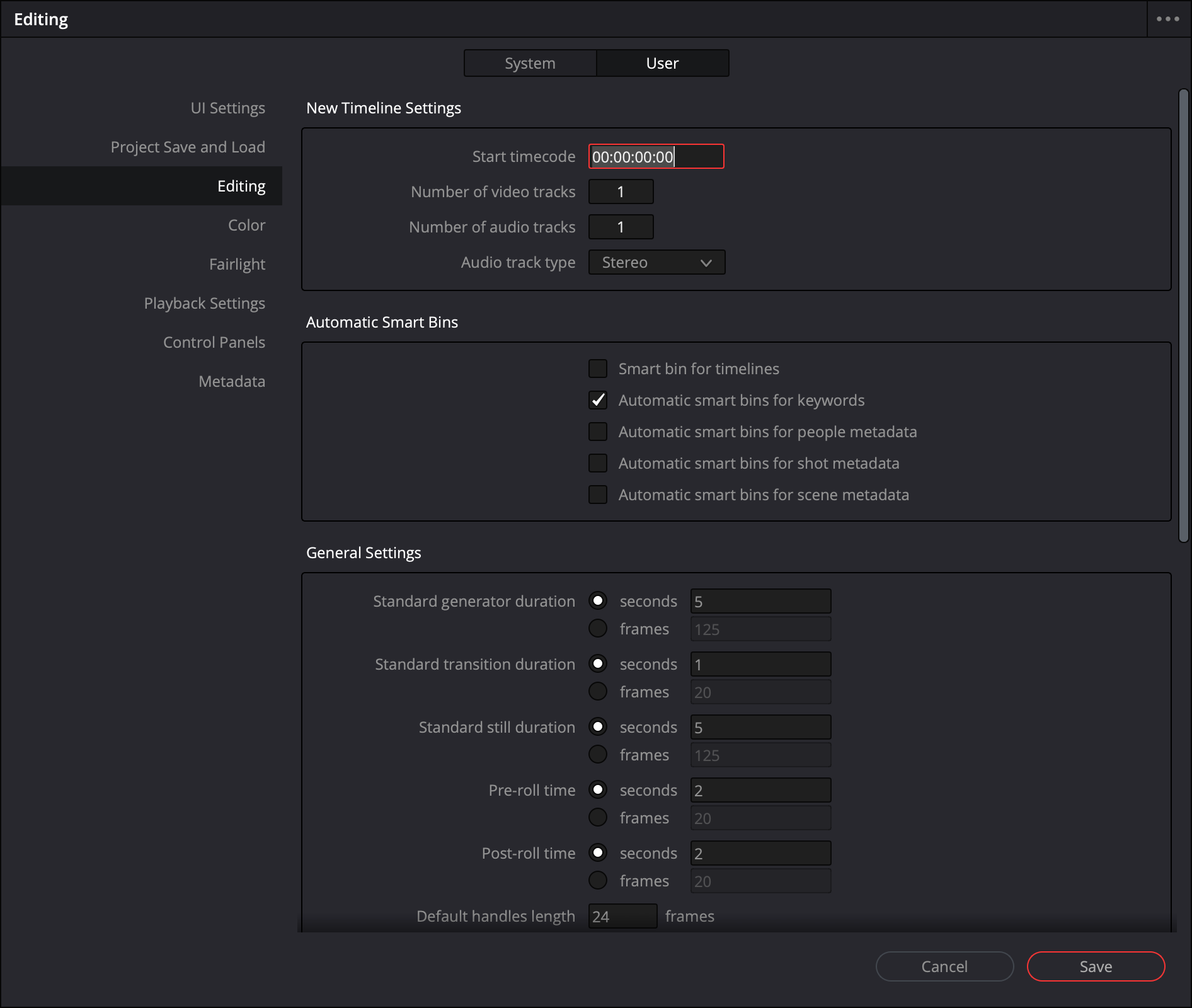
Changing DaVinci Resolve's Timecode
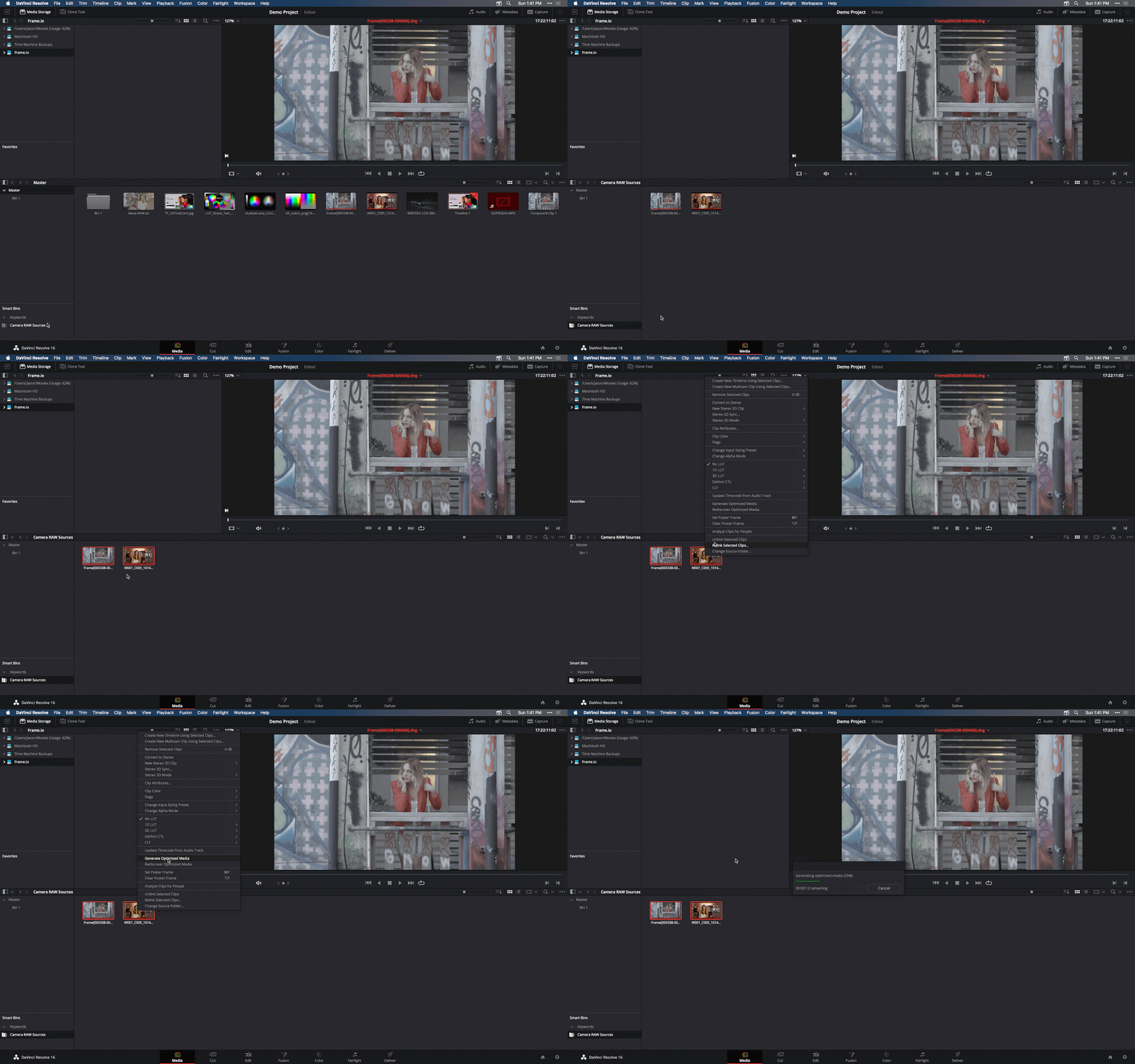
Optimization
| Step 1 | Step 2 |
|---|---|
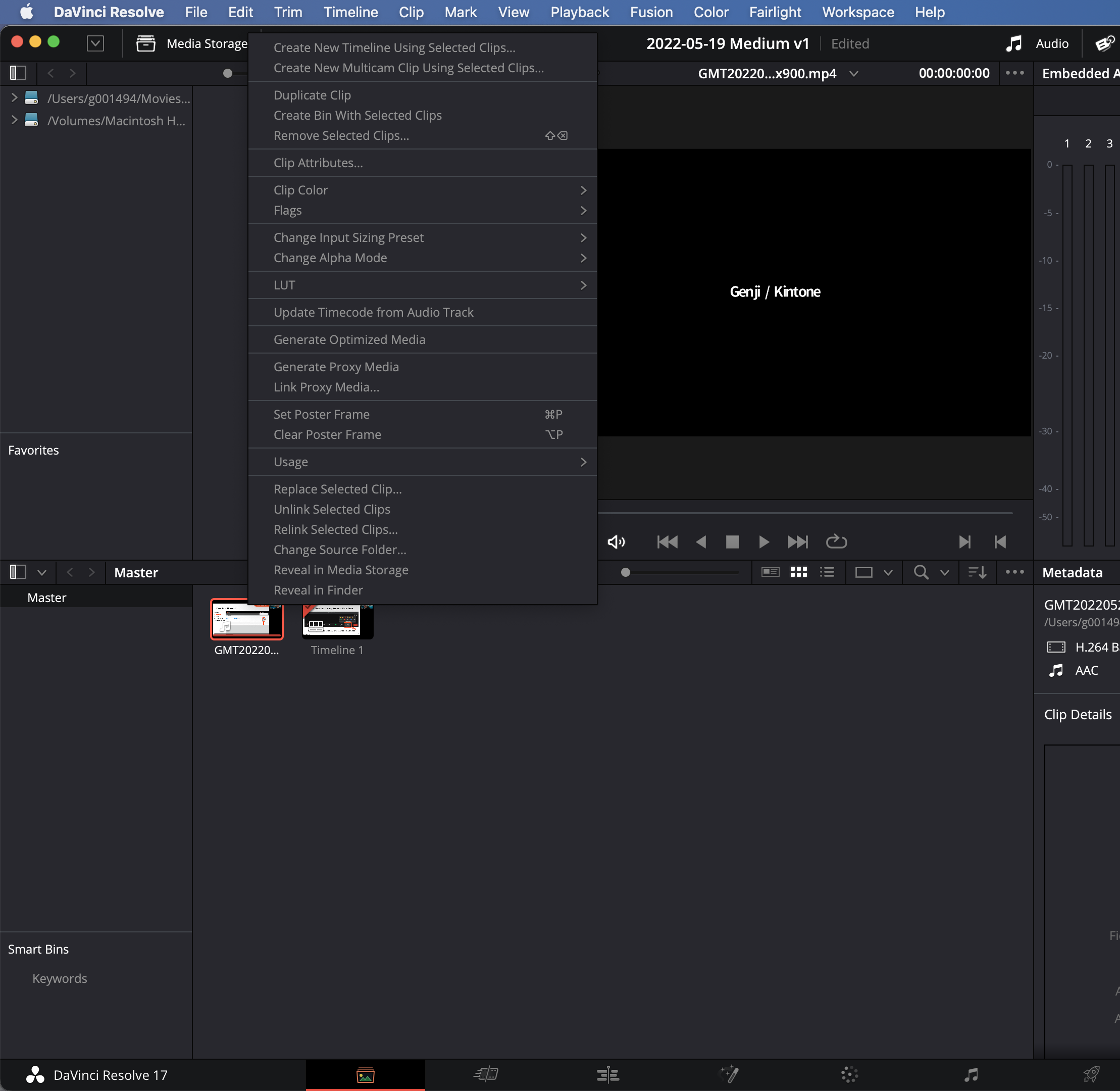 |  |
Export Markers for YouTube Video Chapters
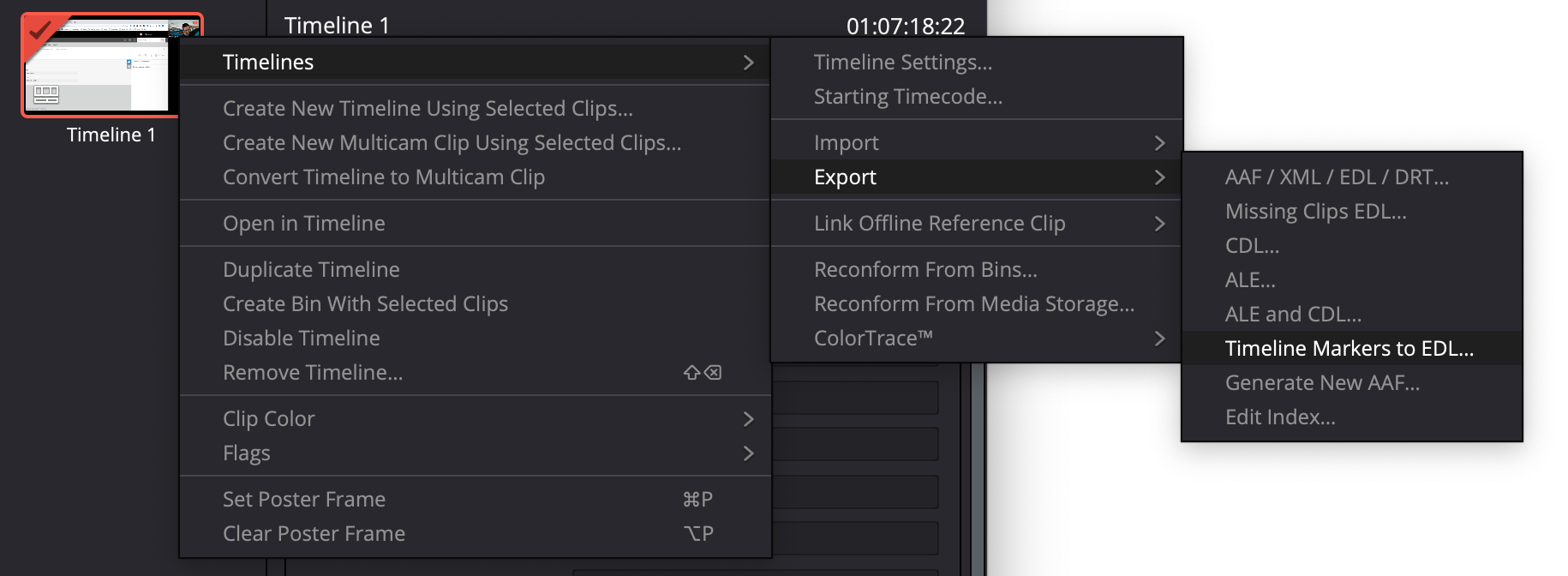
Go to Media Tab (Bottom)

Left-Click on Timeline 1 > Export > Timeline Markers > Timeline Markers to EDL...
Open Timeline 1.edl in VS Code