What is Git & GitHub? – Revert
🇯🇵 日本語版:03_Revert.md
This section introduces git revert and explains how to undo files with Git.
Outline
- Preparing for Time Travel
- Revert: Rewind the Clock
- Visit the Past
- Go Back One Commit
- Go Back by Commit Hash
- Reset vs Revert
- Next Section
Preparing for Time Travel
Local Git
In the previous section, you created, merged, and deleted the develop branch.
Let’s get down to just the main branch.
If you still have the develop branch, please delete it.
-
Move to the
learning_gitfolder.cd ~/learning_git -
Check the current Git status.
git statusOn branch develop Your branch is up to date with 'origin/develop'. nothing to commit, working tree clean -
Check the branches in the repository.
git branch- develop main -
Since you are on the
developbranch, switch tomain.git checkout mainSwitched to branch 'main' Your branch is up to date with 'origin/main'. -
Delete the
developbranch.git branch --delete developwarning: deleting branch 'develop' that has been merged to 'refs/remotes/origin/develop', but not yet merged to HEAD. Deleted branch develop (was 4f98baf). -
Let’s also delete the develop_file.md file.
rm develop_file.md
GitHub
- Go to the
learning_gitrepository on GitHub.- github.com/
UserName/learning_git
- github.com/
- Check whether there is only one branch.
- github.com/
UserName/learning_git/branches
- github.com/
- If there is a
developbranch, delete the branch.

Create Sample Files and Branches
Create files for time travel.
-
Switch to the
mainbranch.git checkout main -
Create a
timelinebranch.git checkout -b timelineSwitched to a new branch 'timeline' -
Create the following files and commit them separately.
yr_1,yr_2,yr_3
touch yr_1
git add yr_1
git commit -m "Year 1"
touch yr_2 git add yr_2 git commit -m "Year 2"touch yr_3 git add yr_3 git commit -m "Year 3"
Revert: Rewind the Clock
View the History
You should have the following four files in the repository.
ls
README.md yr_1 yr_2 yr_3
git log --oneline
- Lists the commits on the branch.
-
Use the commit hash it shows for the checkout and revert commands.
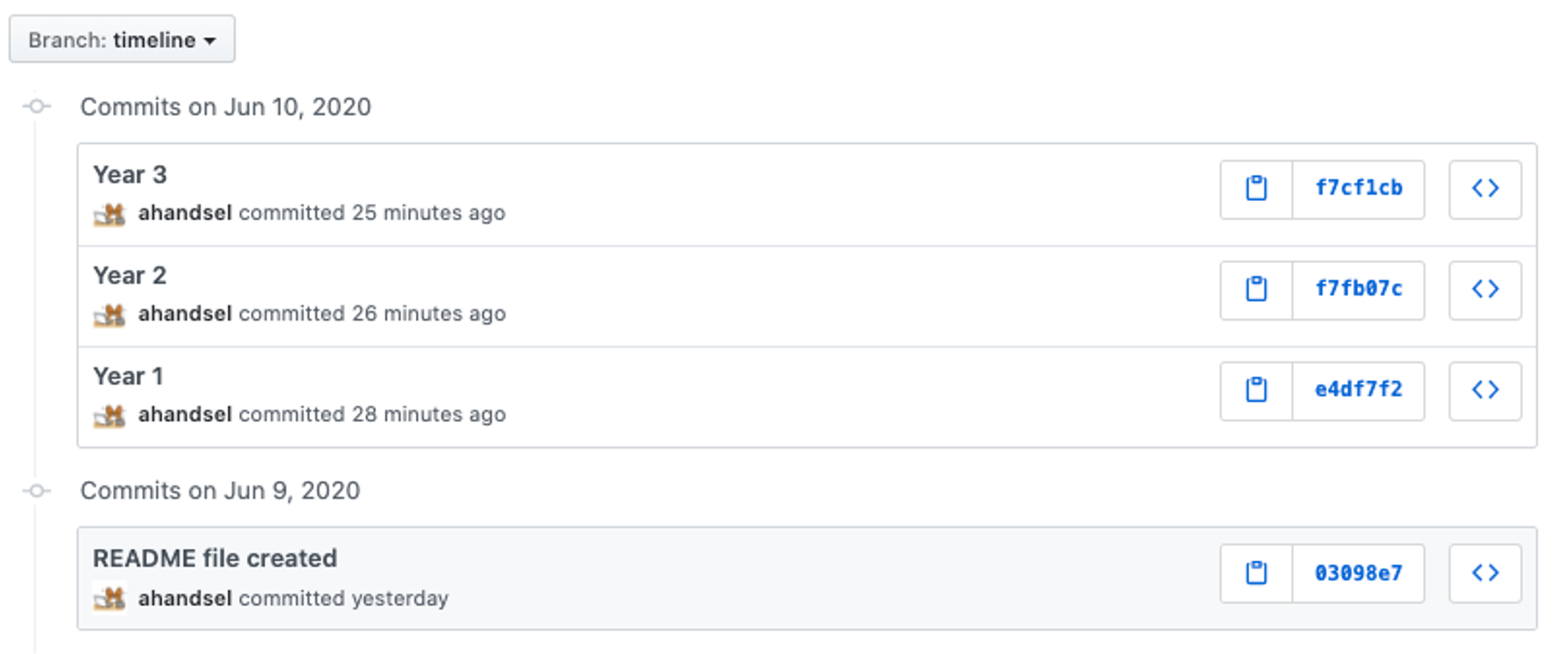
git log --oneline7a5bbf4 (HEAD -> timeline) Year 3 5215f6d Year 2 f10f791 Year 1 03098e7 (origin/main, main) README file created
git push origin timeline
- The
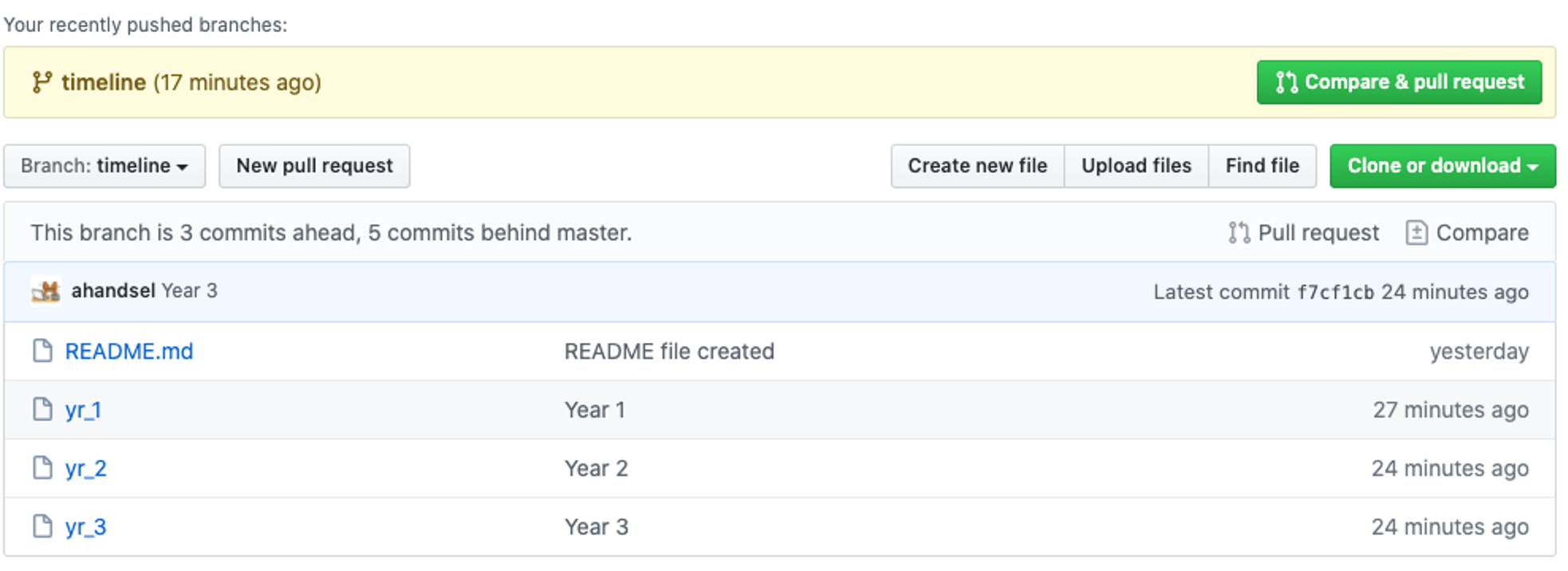
timelinebranch is now pushed to GitHub. - Visit the repository in your browser to confirm.
git push origin timeline
GitHub - timeline branch
GitHub - timeline’s commits
Visit the Past
git log --oneline
- Lists the commits on the branch.
-
Use the commit hash it shows for the checkout and revert commands.
git log --oneline7a5bbf4 (HEAD -> timeline, origin/timeline) Year 3 5215f6d Year 2 f10f791 Year 1 03098e7 (origin/main, main) README file created
git checkout [commit hash]
- Turns your working directory into the exact same state as that [
commit]. - Use it to check whether this is the commit you want to undo.
-
Any changes you make in this state are not saved.
git checkout f10f791Note: switching to 'f10f791'. You are in 'detached HEAD' state. You can look around, make experimental changes and commit them, and you can discard any commits you make in this state without impacting any branches by switching back to a branch. If you want to create a new branch to retain commits you create, you may do so (now or later) by using -c with the switch command. Example: git switch -c <new-branch-name> Or undo this operation with: git switch - Turn off this advice by setting config variable advice.detachedHead to false HEAD is now at f10f791 Year 1lsREADME.md yr_1
Go Back One Commit
git revert HEAD
-
Goes back one commit.
git checkout timelinePrevious HEAD position was f10f791 Year 1 Switched to branch 'timeline'lsREADME.md yr_1 yr_2 yr_3git revert HEADRemoving yr_3 [timeline 450d385] Revert "Year 3" 1 file changed, 0 insertions(+), 0 deletions(-) delete mode 100644 yr_3lsREADME.md yr_1 yr_2
Go Back by Commit Hash
git log --oneline
2fb96f6 (HEAD -> timeline) Revert "Year 3"
7a5bbf4 (origin/timeline) Year 3
5215f6d Year 2
f10f791 Year 1
03098e7 (origin/main, main) README file created
Notice the 7a5bbf4 (origin/timeline) Year 3 line.
It means the Revert "Year 3" commit has not been applied on GitHub (origin) yet.
git push
git push origin timeline
Enumerating objects: 3, done.
Counting objects: 100% (3/3), done.
Delta compression using up to 4 threads
Compressing objects: 100% (2/2), done.
Writing objects: 100% (2/2), 240 bytes | 240.00 KiB/s, done.
Total 2 (delta 1), reused 0 (delta 0), pack-reused 0
remote: Resolving deltas: 100% (1/1), completed with 1 local object.
remote: This repository moved. Please use the new location:
remote:   https://github.com/ahandsel/learning_git_3.git
To https://github.com/ahandsel/learning_git_3.git
   f0c82a0..53a0f3e  timeline -> timeline
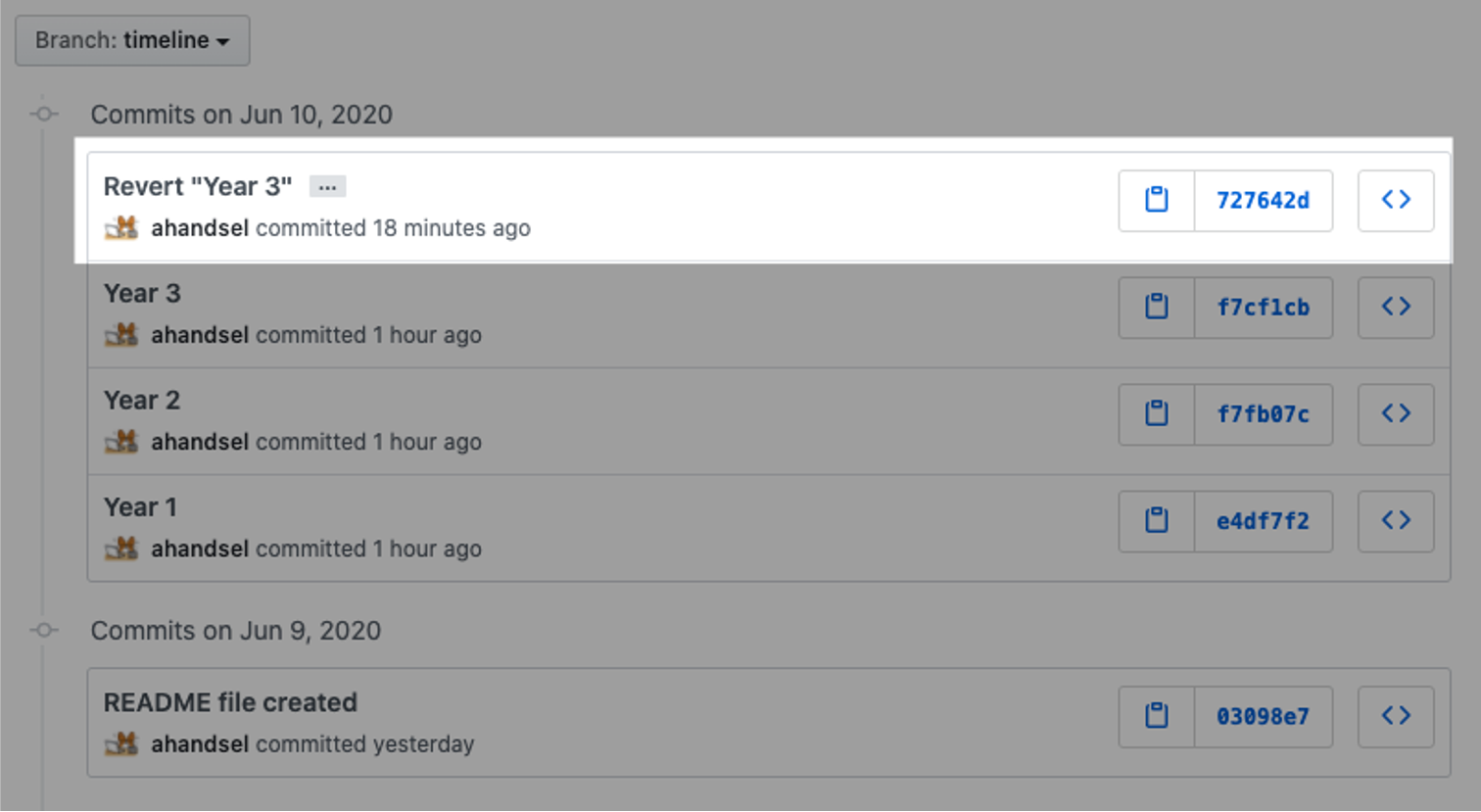
git log --oneline
727642d ( HEAD -> timeline \, origin/timeline ) Revert “Year 3”
f7cf1cb Year 3
f7fb07c Year 2
e4df7f2 Year 1
03098e7 ( origin/main \, main ) README file created
git revert f7fb07 Year 2 commit’s hash
git revert 5215f6d

Removing yr_2
[timeline 6c3367a] Revert "Year 2"
 1 file changed, 0 insertions(+), 0 deletions(-)
 delete mode 100644 yr_2
git log --oneline
f3fc335 ( HEAD -> timeline ) Revert “Year 2”
727642d ( origin/timeline ) Revert “Year 3”
f7cf1cb Year 3
f7fb07c Year 2
e4df7f2 Year 1
03098e7 ( origin/main \, main ) README file created
Revert
ls
README.md yr_1
git push origin timeline
git revert [commit hash]
git revert [commit hash]
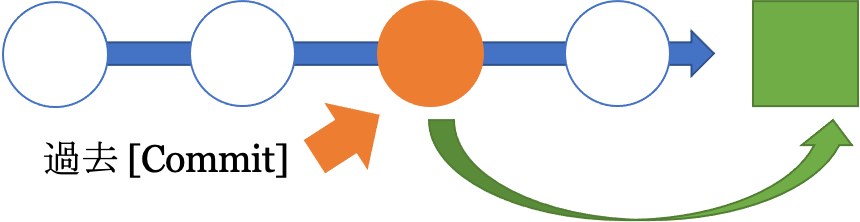
- A forward-moving undo command.
- It reverses the changes made by the given [
commit] and adds the result as a new commit.
Reset vs Revert
git reset [commit] |
git revert [commit] |
|---|---|
| A backward-moving undo that deletes commits. | A forward-moving undo. |
Goes back to a past [commit] and removes every commit made after it. |
Creates a new commit at a past [commit]. |
| This cleans everything up. | No commits are deleted. |
| However, the history of the deleted commits is lost. | Use it for public or shared repositories. |
Next Section
Git Cheat Sheet - 04_CheatSheet_EN.md
List of Lecture Guides
README_EN.md ⚙️